

Single answer
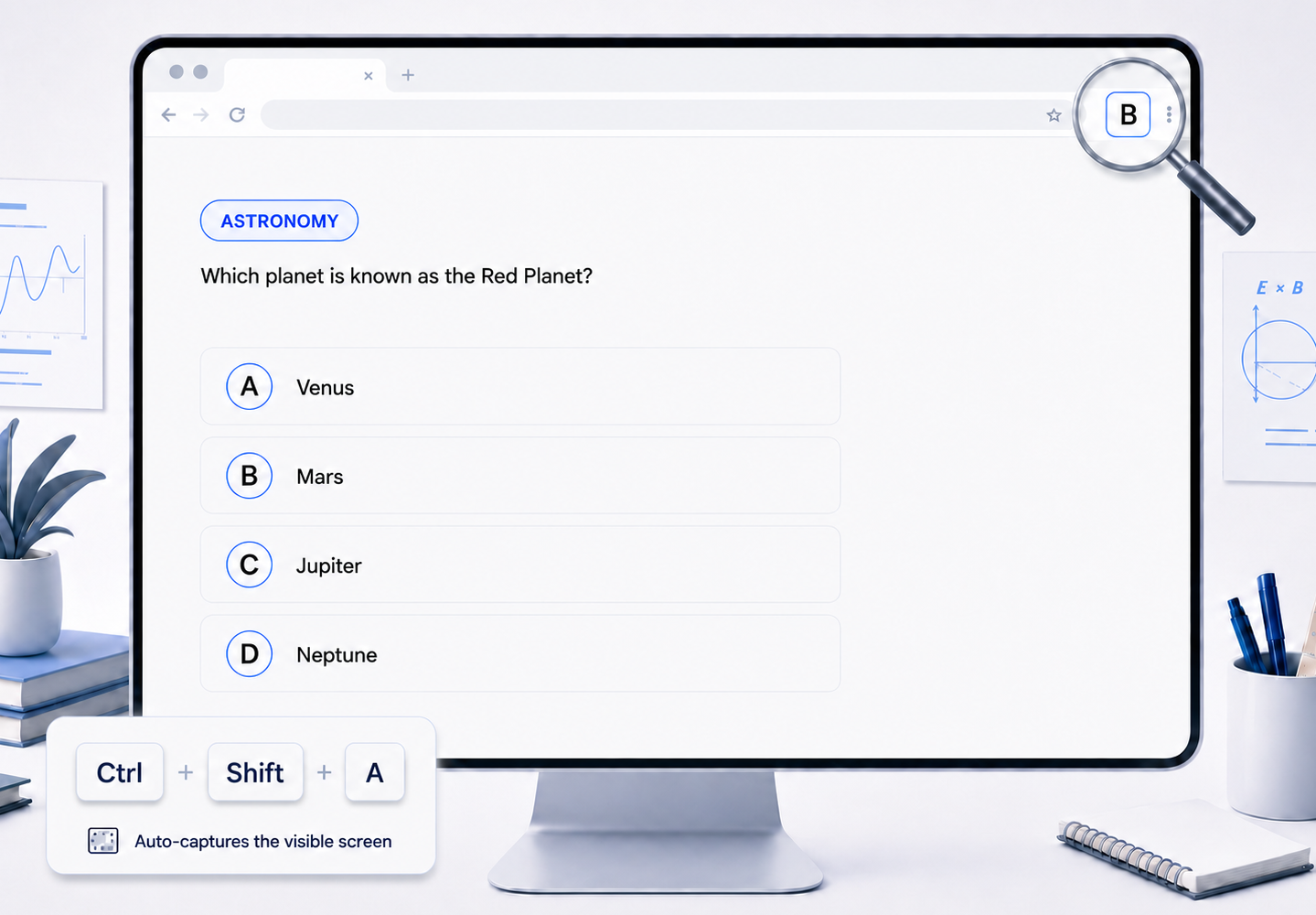
One answer found: option A
Analyze on-screen multiple-choice questions with ZenaianGet accurate answers instantly without leaving your tab.
Pin the extension
Keep the icon visiblein your Chrome header
The icon changes toone of these states
Know exactly what the extension is showing at a glance.
One answer found: option A

Hover on the icon to see every correct option

Checking the captured question

Not enough information to answer

The answering process was interrupted
Choose how you capture, then add the context that helps the AI reason with you.
Assign custom keyboard shortcuts for the full visible tab or draw a precise box around one question.
Save an optional custom instruction for subject conventions, course level, notation, or the reasoning style you prefer.
Use relativistic conventions and choose every defensible answer.
Optional · the default instruction always worksFor fact-heavy courses, confirm a multiple-choice answer without taking a screenshot, switching screens, and interrupting your study flow.
Screenshot
Switch Screen
Paste and Ask
Confirm
Return
Capture
Confirm
Built by xAI and trained by SpaceX, the Grok 4.5 brings frontier reasoning to problems. Zenaian uses it to deliver precise answers quickly, keeping every confirmation on pace.
Zenaian is an independent product and is not affiliated with or endorsed by xAI or SpaceX.Zenaian is designed to keep your captured questions temporary, your account protected, and your workflow quiet.
Captured images are processed transiently and are not saved on your device or on the Zenaian server.
The extension communicates through its toolbar icon so you can stay focused on the page in front of you.